Why Choose Glacia OS?
Engineered for performance, security, and elegance
Developer-First File Manager
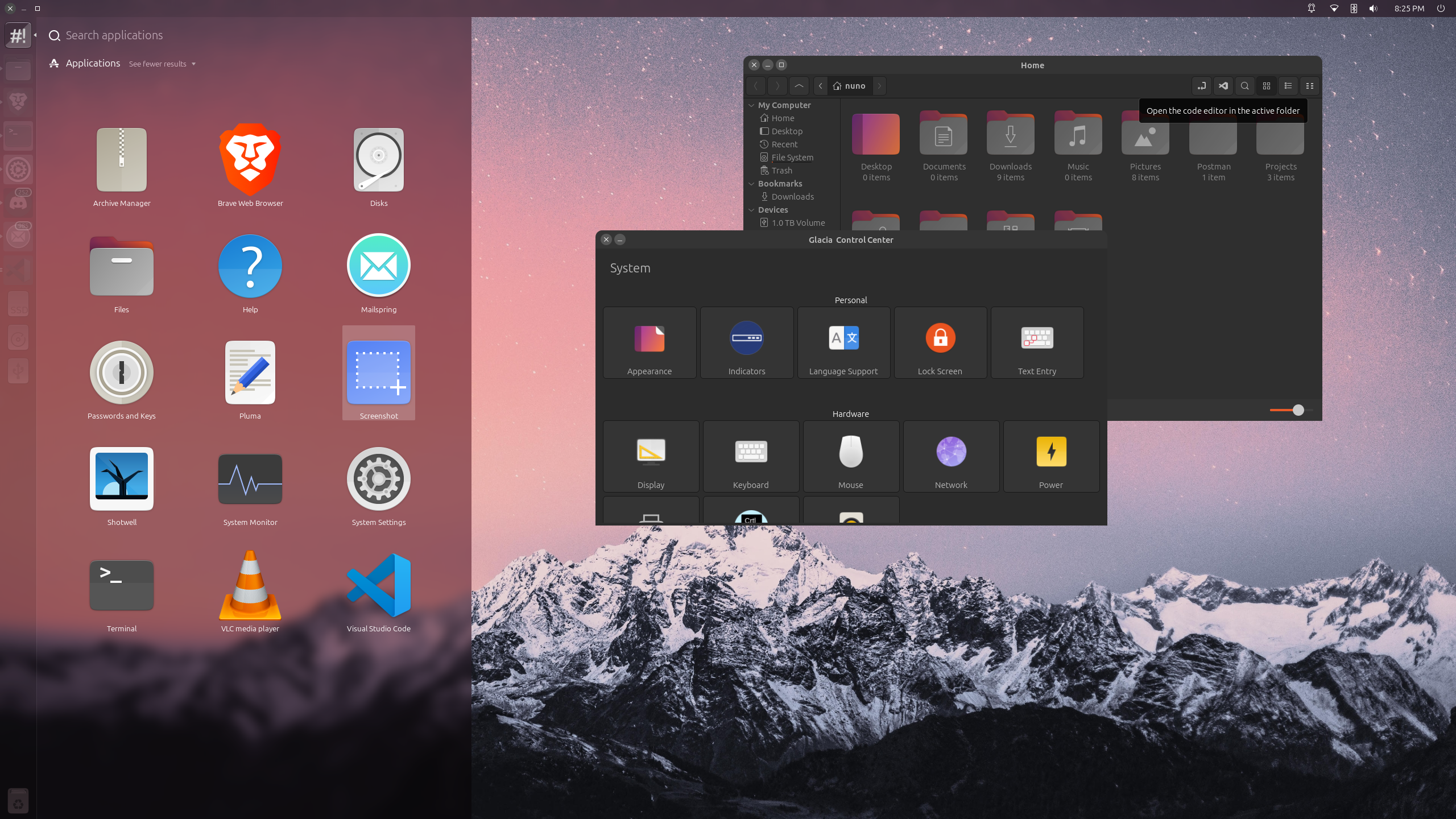
Our enhanced file manager includes a dedicated "Open in Editor" button that launches your current project folder directly in your preferred code editor (VS Code, intellij, etc.).
Focused Application Launcher
Press the Super key to instantly reveal only your installed applications, no ads, no web results, no background noise. Optimized search algorithms deliver relevant results in milliseconds, so you spend less time hunting and more time creating.
Unified System Console
Glacia OS introduces a single, cohesive control center that unifies system, desktop, and hardware settings. From display calibration to privacy controls, every option is intuitively organized.
Privacy-Respectful Search
Glacia OS processes all application searches locally on your device. We’ve eliminated external API calls and telemetry, ensuring your queries never leave your machine. What you search for remains private.
Truly Open Development
Every line of Glacia OS is developed in the open on our public GitLab instance. From the desktop environment to system utilities, all code, issue tracking, and CI/CD pipelines are publicly accessible. Anyone can inspect, contribute, or build their own ISO. Because trust is earned through transparency, not promises.
Clean. Complete. Ready.
Glacia OS ships with a minimal yet complete suite of modern applications: the privacy-focused Brave browser, the powerful VS Code editor, and essential utilitiesm, nothing more. No redundant tools, no trialware, no configuration marathons. Install once, and you’re ready to work, create, or explore.

Ready to Transform Your Computing Experience?
Join thousands of users who have already made the switch to Glacia OS. Free forever, open source, and constantly evolving.
System Requirements: 2GB RAM, 20GB Storage, 64-bit processor